
Node Mods
Multi Crop
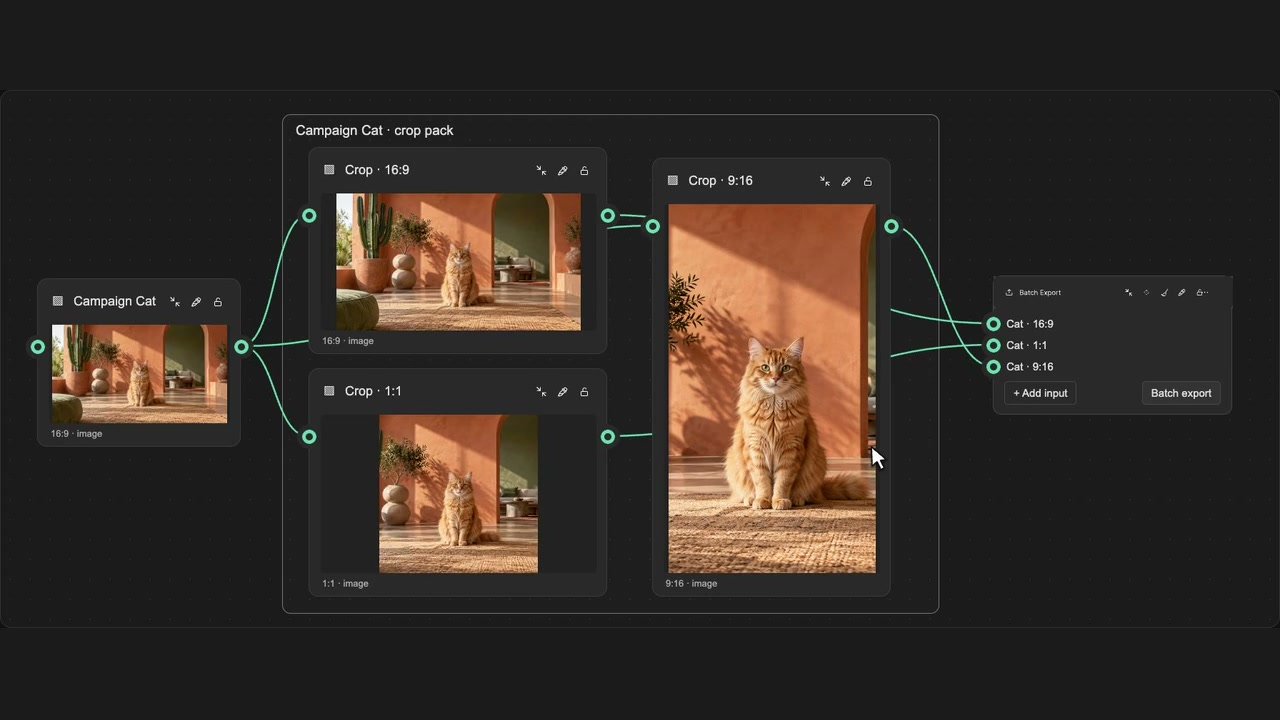
Create ratio crops and a Batch Export for each selected image or video.
How to use it
- Select image or video sources, or open a Crop node.
- Choose standard or saved custom aspect ratios.
- Create the crops, then review each source’s named export pack.
Tips
- Each selected source gets its own crop group and Batch Export.
- Using this action on a Crop node replaces that Crop with the chosen ratios.
Multiple sources receive separate groups, each with its own Batch Export. The Crop-node action replaces that Crop with the chosen ratios. Creation supports native Undo and does not run a model.