
Node Mods
Advanced Router from selection
Create an Advanced Router connected to selected image or video sources.
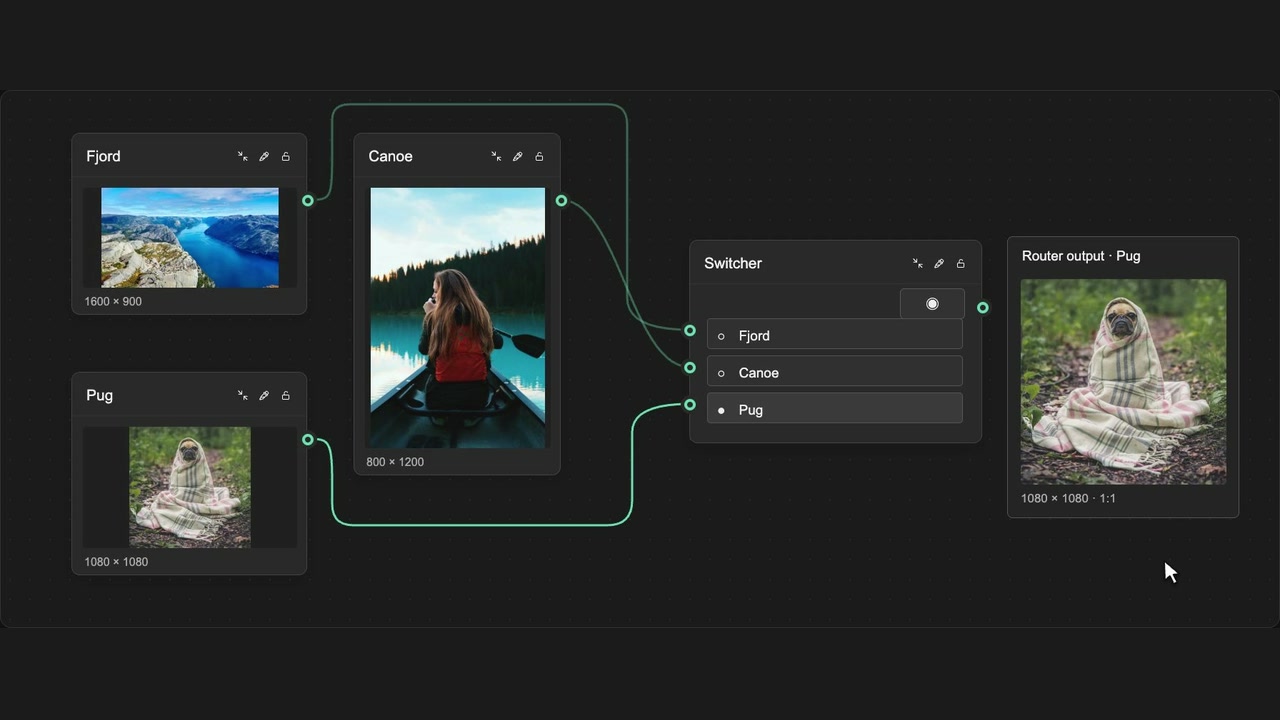
How to use it
- Select two or more supported media nodes.
- Choose Create an Advanced Router from selection in the toolbar.
- Pick the source to send through its output.
Tips
- Select up to 64 supported sources.
- Your original source nodes stay on the canvas.
Supports up to 64 selected sources. Existing source nodes remain on the canvas.